Travel Freely. Stay Connected Anywhere, Anytime
- Global Coverage
- 140+ Countries
- 24/7 Support
Stay connected wherever your journey takes you with We Voice Travel eSIM. Enjoy seamless mobile data access across 140+ countries without swapping physical SIM cards or paying expensive roaming fees. Activate your plan before you fly and land ready to browse, stream, navigate, and stay in touch.
Designed for modern travellers, our digital eSIM solutions offer reliable connectivity, flexible data packages, and secure access on compatible devices. Whether you're travelling for business, leisure, or extended stays, We Voice ensures your connection is fast, stable, and ready when you need it most.
Choose Your Next Escape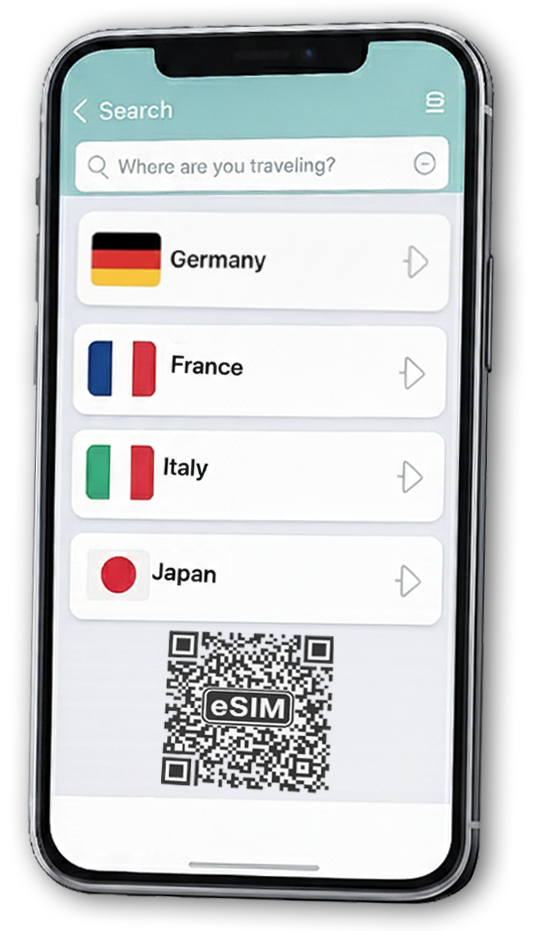
Travel Smart With We Voice Travel eSIM
International travel should be simple — and staying connected should be effortless. We Voice Travel eSIM gives you instant access to local mobile networks without the inconvenience of physical SIM cards or costly roaming charges.
With flexible plans, secure activation, and coverage across major destinations worldwide, our eSIM service helps you manage your connectivity in advance. Travel confidently knowing your mobile data is ready from the moment you arrive.
-

No Physical SIM Required
Switch to a digital SIM without removing your existing card. Keep your primary number active while using mobile data abroad. No store visits, no plastic cards, and no waiting in airport queues.
-

Instant QR Activation
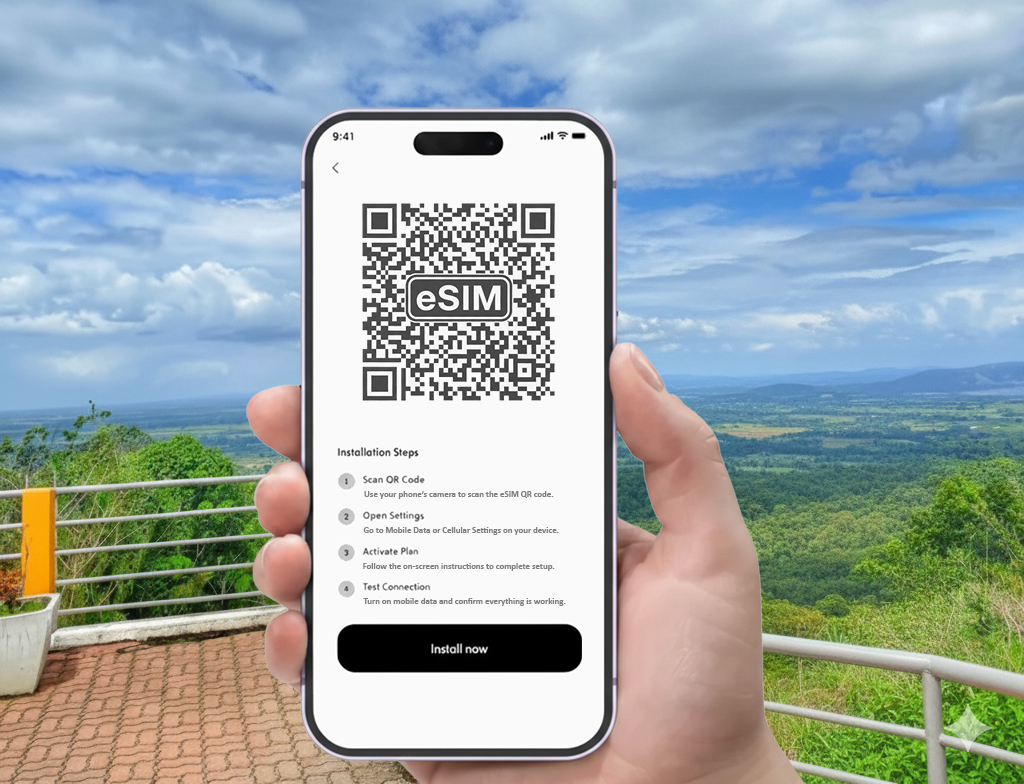
Receive your eSIM via email and activate it in minutes by scanning a QR code. The setup process is simple and guided, making it easy even for first-time users.
-

Dual SIM Compatibility
Use your home SIM for calls and texts while your eSIM handles travel data. Compatible devices let you manage both lines seamlessly through your phone's settings.
-
Instant Connectivity Upon Arrival
Install your eSIM before departure and activate it upon landing. Avoid searching for Wi-Fi or local SIM vendors — your connection starts when you do.
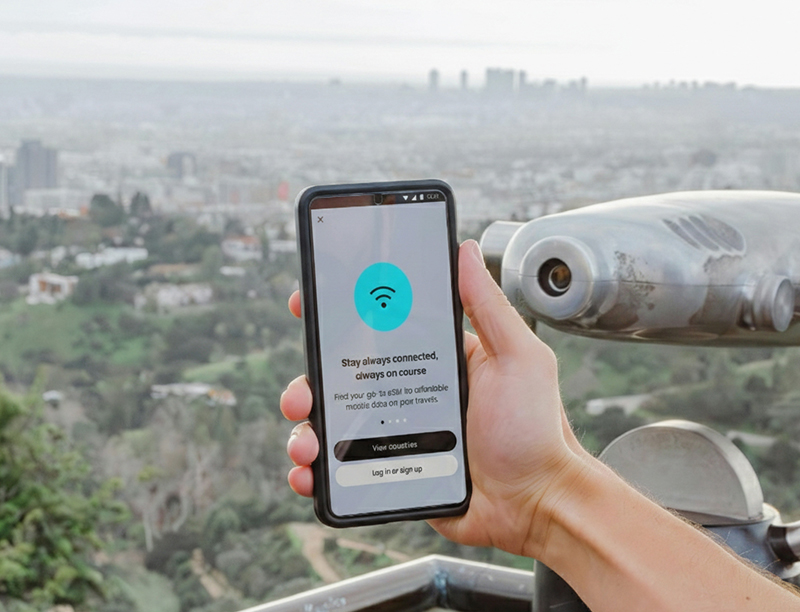
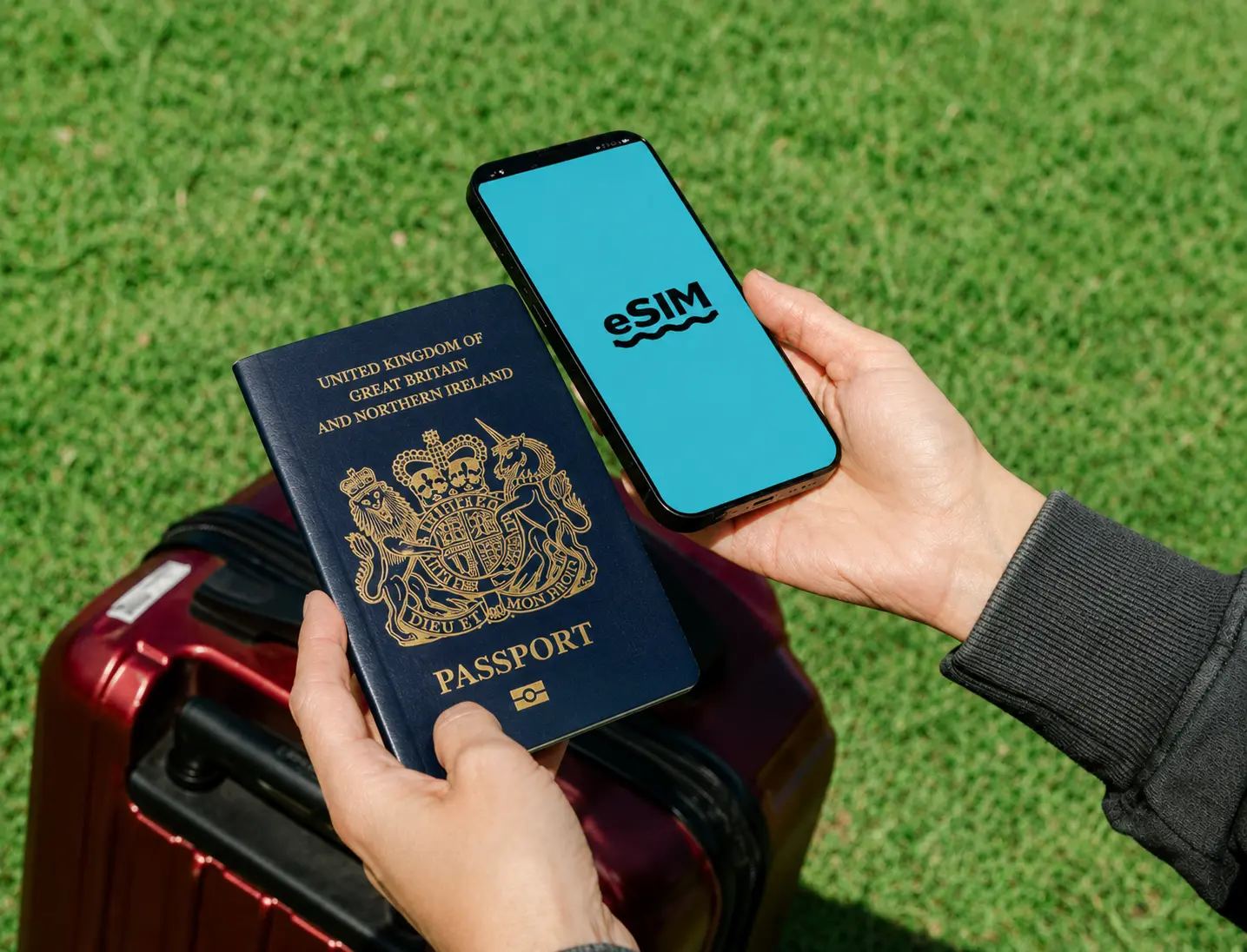
Stay Connected in 140+ Countries
From major cities to popular tourist destinations, We Voice Travel eSIM keeps you online across more than 140 countries. Access trusted local networks without long-term contracts or hidden roaming costs.
Our global coverage allows you to travel across regions with consistent connectivity. Whether you’re navigating unfamiliar streets, attending meetings, or sharing travel moments, your data plan keeps you connected reliably and securely.
-

Reliable High-Speed Access
Enjoy stable 4G and 5G connectivity (where available) through established local network partners. Experience smooth browsing, streaming, messaging, and video calls.
-

Smart Network Switching
Automatically connect to supported local carriers in your destination for optimal signal strength and performance, reducing interruptions during your trip.
-

Encrypted & Secure Connection
Your data security matters. Our eSIM solutions use secure network standards to protect your connection while browsing, banking, or accessing work platforms abroad.
-

24/7 Global Support
Our customer support team is available to assist you before, during, and after activation. Travel with confidence knowing help is available when you need it.
Plan Your Next Destination
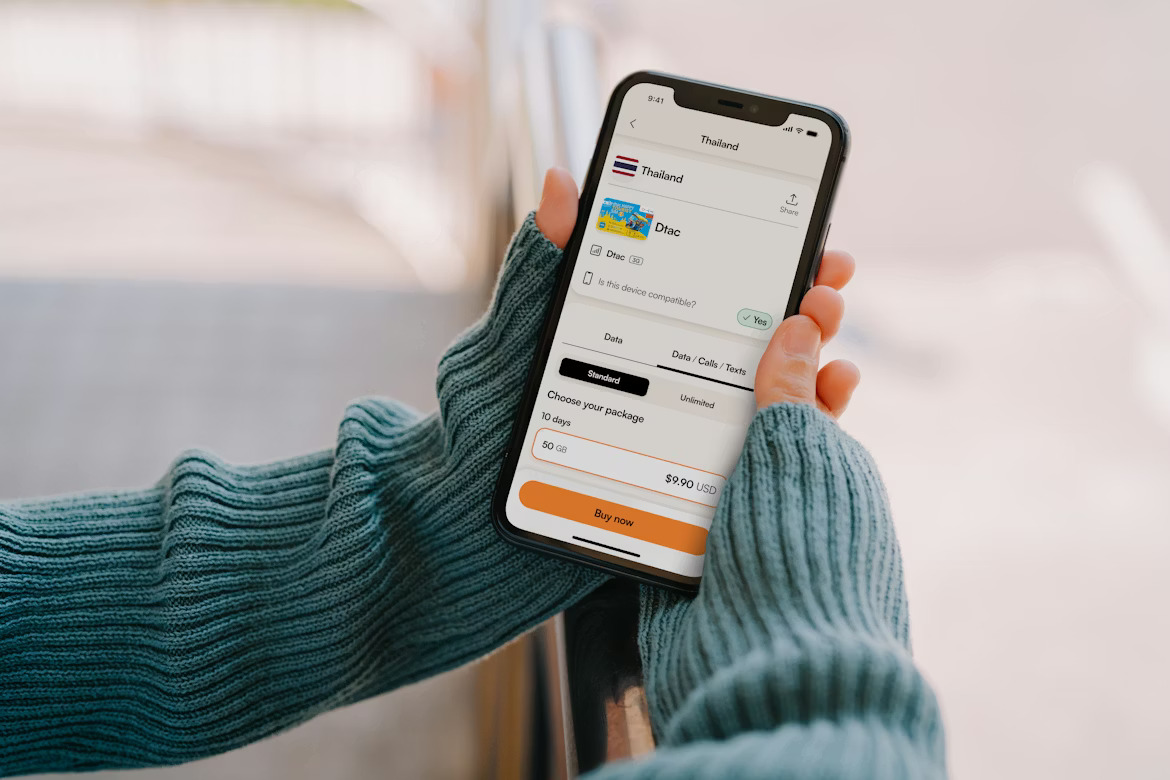
Choose your destination and explore flexible data plans tailored to your trip. Whether you need short-term coverage or extended travel data, We Voice offers transparent pricing and straightforward options to match your itinerary. Search for your destination below and discover plans designed for convenience, flexibility, and dependable performance abroad.








How to Install Your Travel eSIM
Follow our step-by-step installation guides to set up your travel eSIM. Choose your device below and get connected before your journey.
Quick, simple and hassle-free installation for iPhone and Android devices.
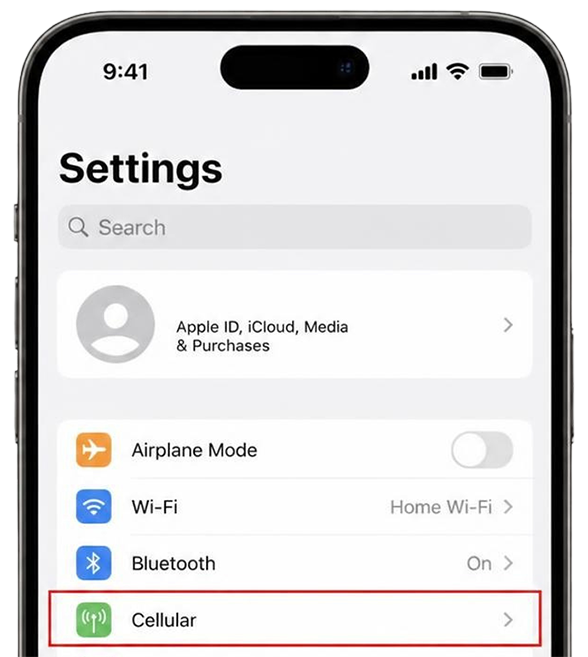
Tap Cellular or Mobile Data from Settings
Open Settings on your iPhone and select Cellular or Mobile Data. Make sure your iPhone is connected to a stable Wi-Fi network before you begin.
Tap Add Cellular Plan
In your cellular settings, select Add eSIM or Add Cellular Plan, depending on your iPhone model and iOS version.
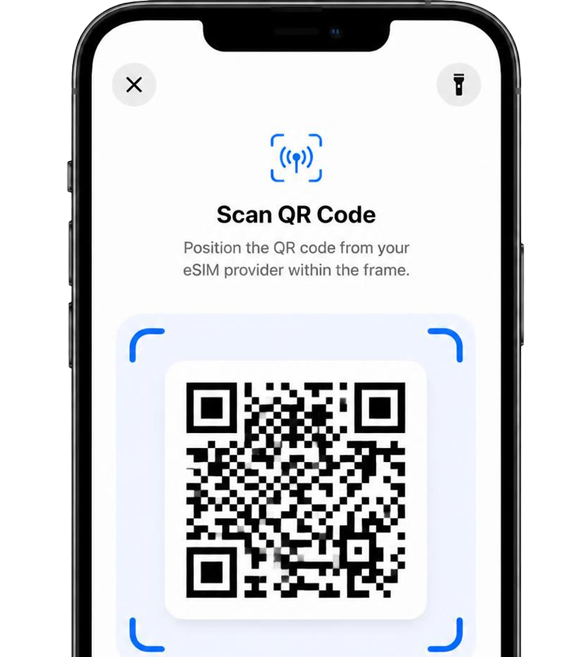
Scan QR code we provide
Internet connection required In case you have only one device and cannot scan the QR code, enter the activation code and SM-DP+ address manually. They are provided along with the QR code via email.
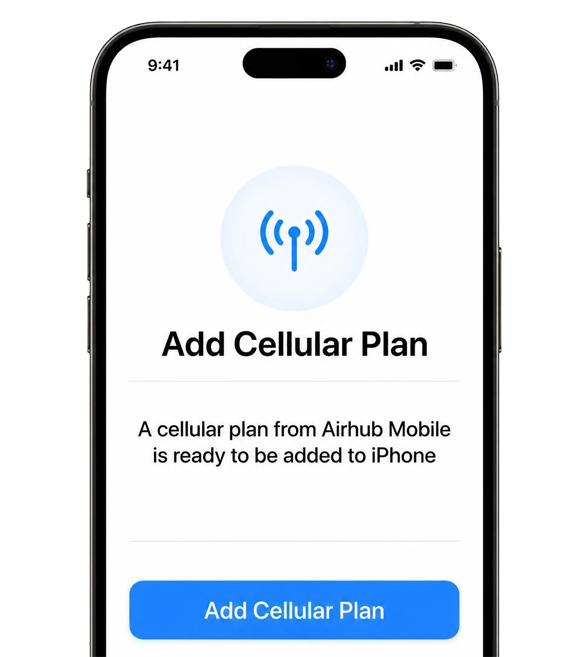
Tap Add Cellular Plan
Follow the on-screen instructions and confirm that you want to add the cellular plan. Check the details carefully before confirming, as you may not be able to cancel this step once confirmed.
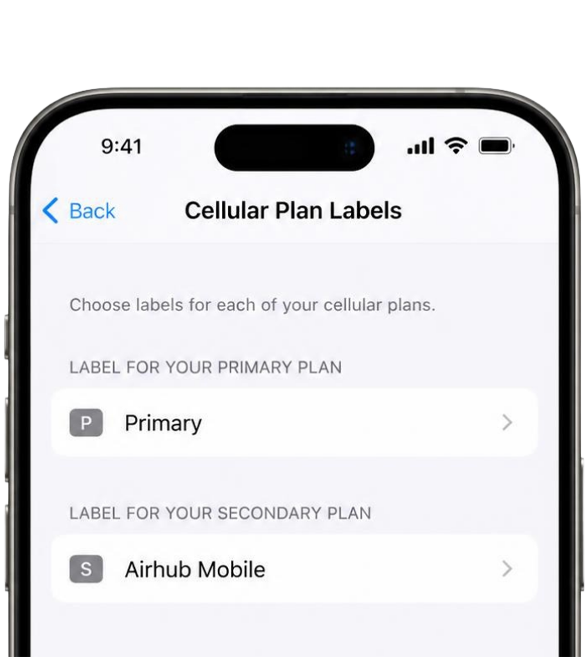
Enter "Airhub Mobile" to label your new cellular plan
You can change the label anytime in Settings to make it easier to identify your cellular plan.
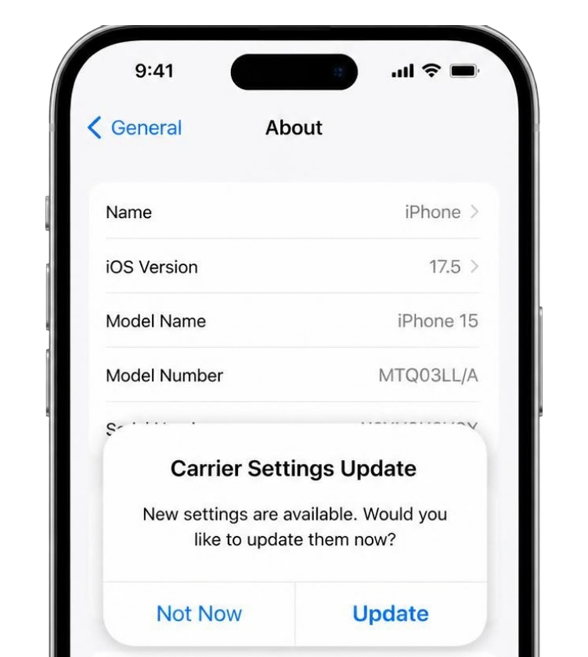
Tap Update on Carrier Settings Update
If a carrier settings update appears, follow the on-screen instructions to complete it. If no update appears, continue to the next step.
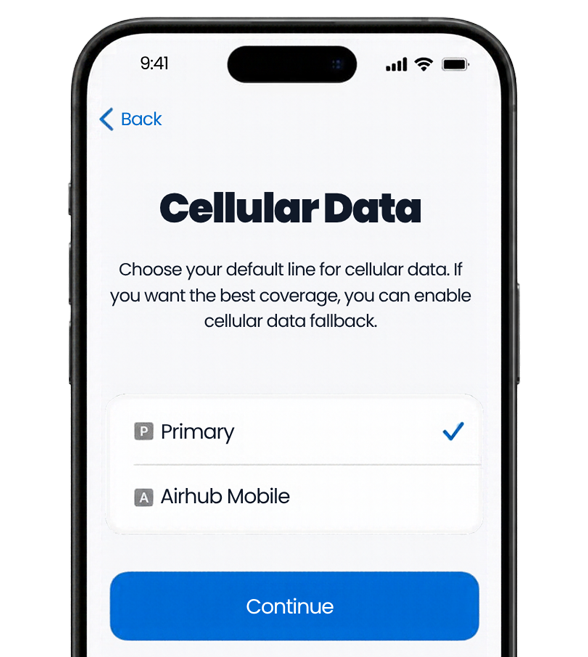
Choose Primary as Default Line
Select your preferred default line for calls and messages. You can usually keep your primary SIM selected for everyday communication.
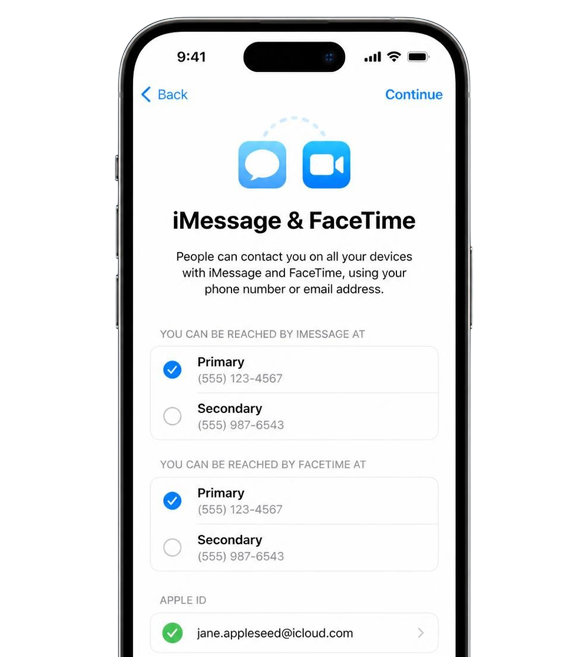
Choose Primary for iMessage, FaceTime and Apple ID
Select your primary number for iMessage, FaceTime and Apple ID, or continue without changing these settings if that option is available.
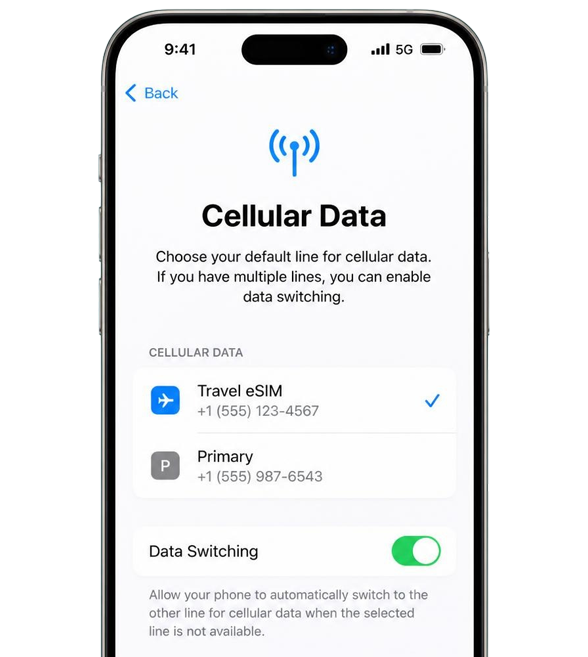
Choose your default line for cellular data
Select Primary for cellular data unless you want to start using your new eSIM for mobile data straight away.
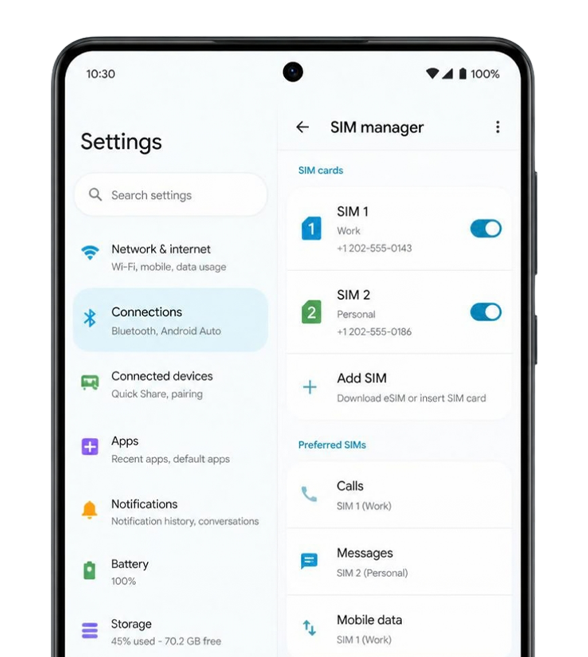
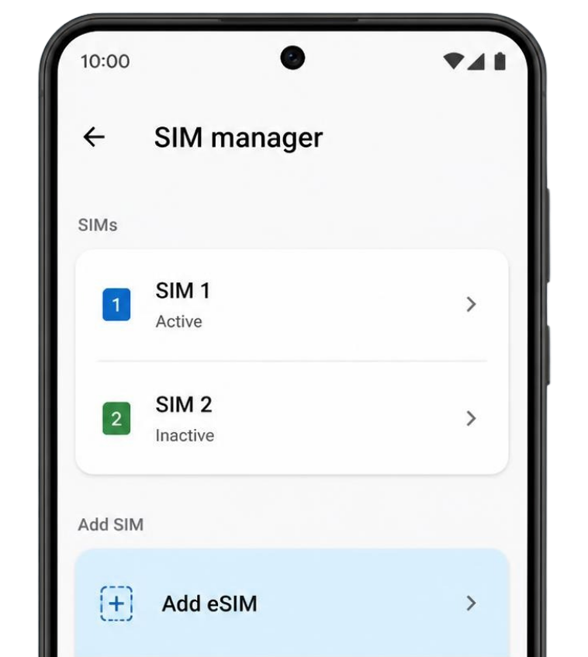
Open SIM or network settings
Open Settings and go to Connections → SIM Manager on Samsung devices, or Network & Internet → SIMs on many other Android phones. The menu names may vary by device.
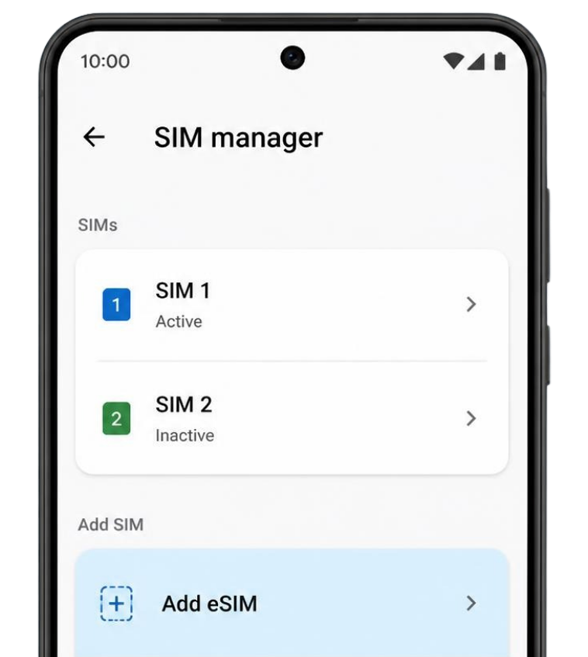
Add or download eSIM
Tap Add eSIM or the equivalent option on your phone. Choose the QR code installation method when prompted.
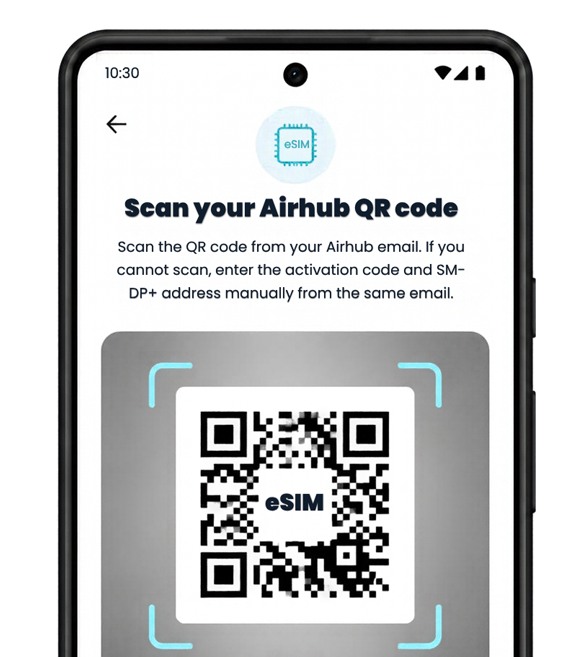
Scan your Airhub QR code
Scan the QR code from your Airhub email. If you cannot scan, enter the activation code and SM-DP+ address manually from the same email.
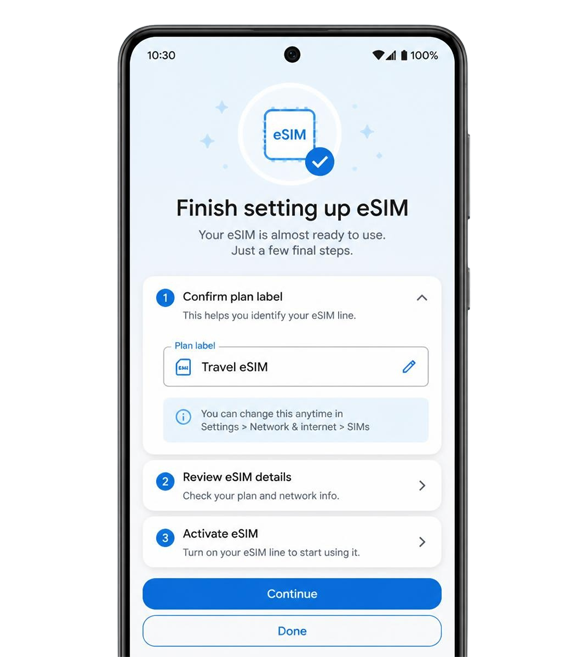
Finish installation
Follow the on-screen prompts to complete your eSIM profile. You may need to confirm a label for the new plan.
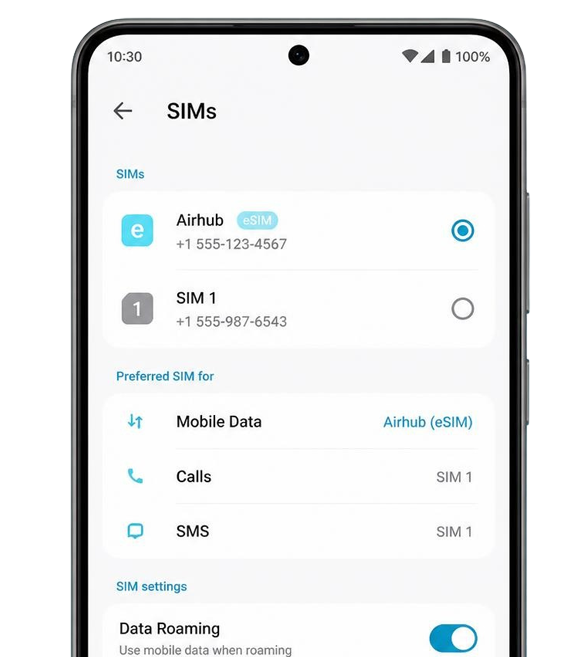
Turn on data when ready
Enable your Airhub eSIM for mobile data in SIM settings. Turn on data roaming when using the eSIM abroad.
Need help installing your eSIM?
Contact our WeVoice support team for assistance with your travel eSIM setup.
Get SupportActivate your eSIM in three easy steps
Getting connected takes just a few minutes. Follow three simple steps to prepare your device before travel and enjoy uninterrupted connectivity once you arrive.
No paperwork, no waiting, and no complicated setup — just a smooth digital activation process.
-
01
Choose Your Destination
Select the country or region you’re visiting and review available data packages based on your travel duration and usage needs.
-
02
Select Your Plan
Pick the data allowance and validity period that suits your trip. Complete your purchase securely online and receive your eSIM QR code via email.
-
03
Install & Activate
Scan the QR code using your compatible device, follow the guided installation steps, and activate your plan when you reach your destination.

Choose the Best eSIM Plans for Your Next Trip
Stay connected worldwide with instant activation, flexible data packages, and zero roaming surprises.Whether you're planning a weekend city break or a multi-country journey, We Voice Travel eSIM offers practical and transparent connectivity solutions tailored to modern travellers.
Frequently Asked Questions
A travel eSIM is a digital SIM that allows you to access mobile data abroad without inserting a physical SIM card. It is downloaded directly onto compatible devices.
Most newer smartphones support eSIM functionality. Please check your device settings or manufacturer specifications to confirm compatibility before purchasing.
You can install your eSIM before departure and activate it upon arrival at your destination to ensure immediate connectivity.
Yes. If your device supports dual SIM functionality, you can use your physical SIM for calls and texts while your eSIM provides mobile data.
You can purchase an additional plan for your destination on the We Voice platform, subject to availability.
Yes. Our support team is available 24/7 to assist with installation, activation, or connectivity questions during your trip.